> For the complete documentation index, see [llms.txt](https://deviceon.gitbook.io/docs/llms.txt). Markdown versions of documentation pages are available by appending `.md` to page URLs; this page is available as [Markdown](https://deviceon.gitbook.io/docs/get-started/version-history/version-4.3.3.md).
# Version 4.3.3
## More Comprehensive and Intuitive Operation
### Enhanced OTA Update, App Store Manage Your Edge Applications
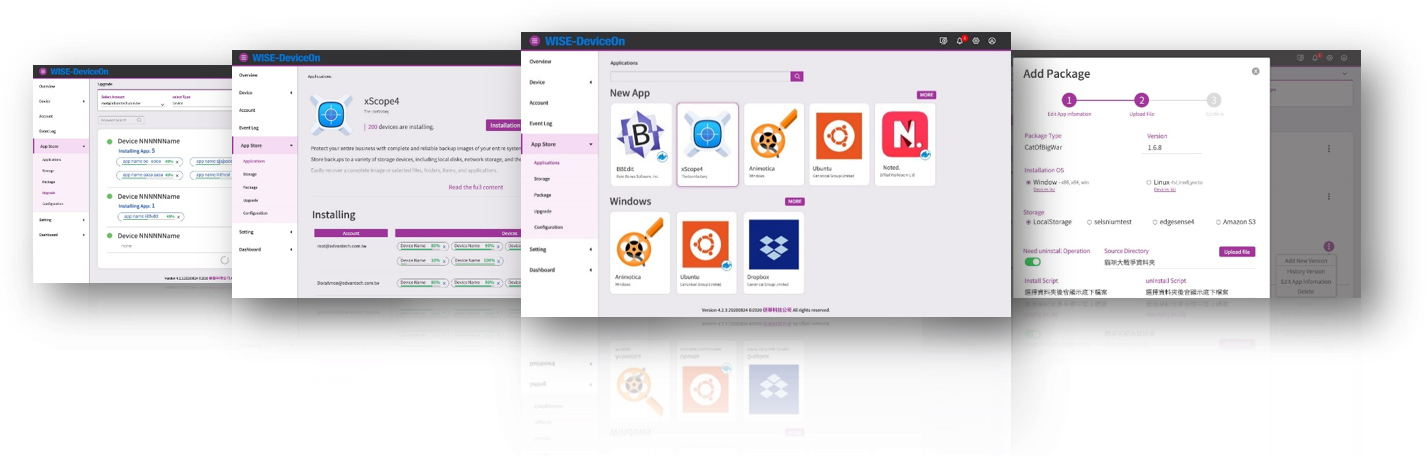
> App Store is an enhanced OTA software update feature which presented in a familiar mobile management user interface to provide users with the ability to manage their own exclusive applications and deploy them to remote devices in a simple way. App Store is divided into two modes of operation. IT administrators could use DeviceOn portal to customize, upload, manage apps and schedule installation to designated devices, which we call the manager mode. Second, in the client mode, the App Store application is built-in the device side, and the device can instantly update the applications.
### LDAP & Azure AD Domain Services for Single Sign-On Authentication
> The APIs and identity authentication support LDAP (Lightweight Directory Access Protocol) and Azure AD Domain Service for Single Sign-On mechanism, the DeviceOn system can be completely integrated with the existing IT system without additional account and password.
### IPMI (Intelligent Platform Management Interface), Out-of-Band Remote Management
> Intelligent Platform Management Interface (IPMI) is a standardized message-based hardware management interface. At the core of the IPMI is a hardware chip that is known as the Baseboard Management Controller (BMC), or Management Controller (MC).
> The BMC provides various interfaces that are needed for monitoring the health of the system hardware. There are different interfaces for user channels, monitoring elements (temperature, voltage, fan speed, bus errors, and other such elements), manually driven recovery (local or remote system resets and power on/off operations), and logging in without operating system intervention for abnormal or out-of-range conditions for later examination and alerting.
### Advantech iBMC, Out-of-Band Remote Management
> Similar to IPMI, Advantech has developed a mini-Baseboard Management Controller named iBMC to provide out of band management. When the main system is abnormal or powered down, it can be powered on remotely and executed across networks, whether in public cloud or private.
### New Remote Access Features
> * Process Control (Terminate, Restart and **Launch**)
> * Container Management (Start, Stop, Monitoring)
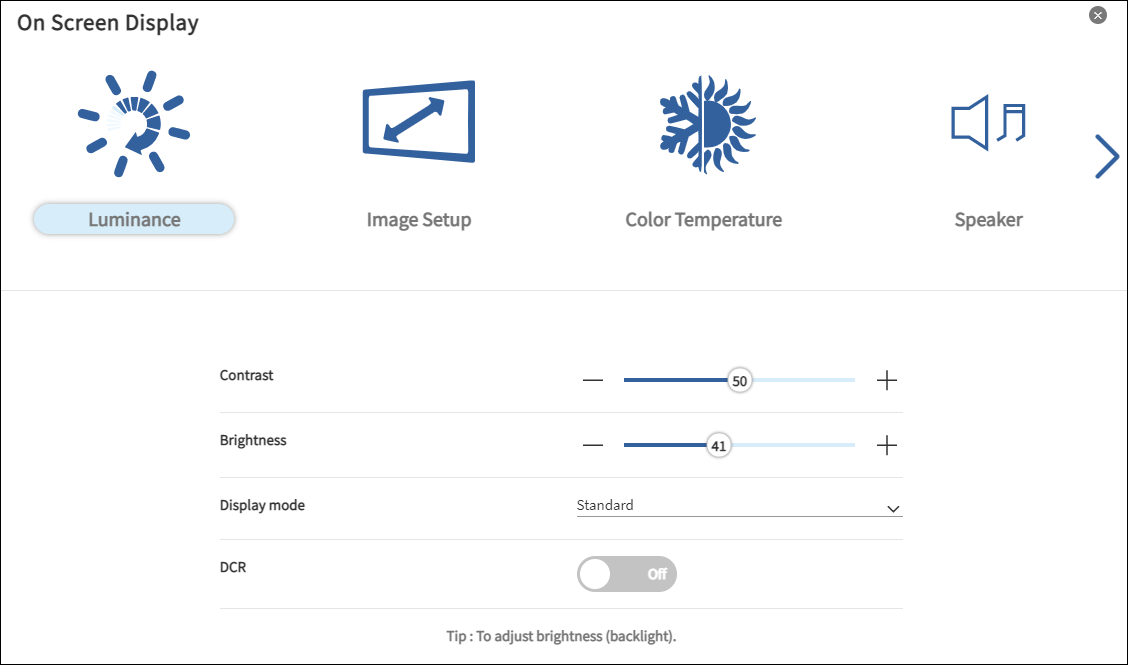
> * On-Screen Display (OSD) Management (“Luminance”, “Color Temperature”,\
> “Contrast”, “Brightness” and resolution)
### Offline Policy for Acronis/McAfee and Device Map
> For the on-premise network, which is unable to connect to the public cloud or the network bandwidth is not enough, provide an offline mechanism of Acronis and McAfee to install remotely, and the installation files are cached on the server side, reducing the external bandwidth of each device. Second, the device map could follow our SOP, download the OpenSreetMap by yourself, and put it in the designated location to achieve offline use.
### Increase Data Write Performance over 30%
> As a data platform, the DeviceOn try to optimize the data flow and writing mechanism on database (PostgreSQL & MongoDB). Compare with the previous release version (v-4.2.3), the writing speed is improved, and the number of devices is increased by 30% \~ 40%.
## Third-Party Updates
* OpenJRE (v1.8.0\_275)
* Tomcat (v9.0.41)
* RabbitMQ (v3.8.9), Erlang 24
* PostgreSQL (v10.15)
* MongoDB (v4.2.11)
* Grafana (v7.3.5)